English
  • Home
  • Products
    • Professional
    • In-Building
    • In-Building Lite
    • Sidekick
    • Castor
    • Academic
    • Tablet
    • Device Hub
    • Licensing Plans
  • Solutions
    • Private Networks
    • 5G Networks
    • Wi-Fi Networks
    • In-Building Networks
    • Green Networks
    • HetNet Networks
    • Public Safety Networks
    • Small Cell Networks
    • IoT Networks
  • Applications
    • Enterprise Buildings
    • Industrial
    • Large Venues
    • Smart Cities
    • Tunnels & Transportation
    • Urban Outdoor
    • Emergency Communication
  • Services
  • Why us?
    • 20 Years
    • Resellers
    • Partners
    • Testimonials
    • Customers
  • Resources
    • Blog
    • Brochures
    • Design Guides
    • Case Studies
    • Videos
    • White Papers
  • Support
    • Support Request
    • Certification Program
    • Annual Maintenance and Support
    • Knowledge Hub
    • Customer Portal
    • Ranplan Viewer
  • Quick links
    • About
    • Investors
    • News
    • Events
    • Research
    • Careers
    • Glossary
    • Contact Us
NEW SOFTWARE RELEASE

Introducing Ranplan 7.4

AI-Assisted Network Planning, Dynamic Scene Simulation and Faster Predictions

The latest release brings new capabilities to automate everyday network planning tasks, simulate changing radio environments and accelerate prediction calculations. With the introduction of Ranplan Sidekick, dynamic scene simulation with Castor and enhancements across modelling, measurement analysis and network management, engineers and researchers can work more efficiently and explore complex wireless environments in greater detail.

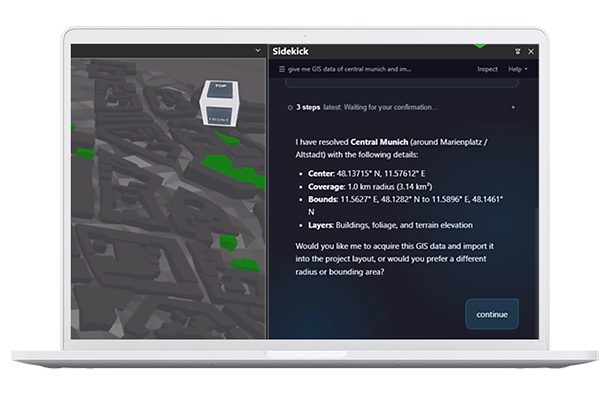
Ranplan Sidekick (Beta)

Meet your AI assistant for wireless network planning. Sidekick helps you prepare models, modify network designs, run predictions and explore results using plain-language requests, directly within Ranplan.

  • Automate Design Tasks: Generate 3D building models from PDF, image and DXF floor plans, convert supported iBwave exports into IFC models, source outdoor GIS data and make changes to network components.
  • Analyze and Optimize: Define your coverage targets, with optional SINR targets and let Sidekick run the optimisation, propose transmitter placements and compare solutions against your performance requirements.
  • Get Answers and Deliverables: Ask “how do I…?” questions and get answers from the Ranplan user guide, or have Sidekick generate Excel BOMs, material reports and populated PowerPoint templates.
  • Stay in Control: Review and approve proposed actions, adjust instructions and revert supported changes.

Available as an optional extra for Ranplan Professional and In-Building users with an active AMS.

Discover Ranplan Sidekick


laptop-screen-shot-dynamic-74

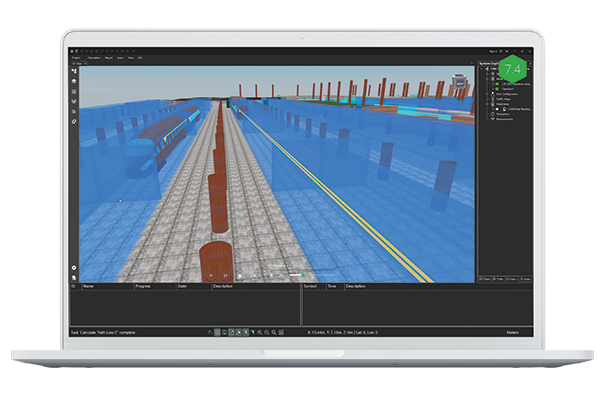
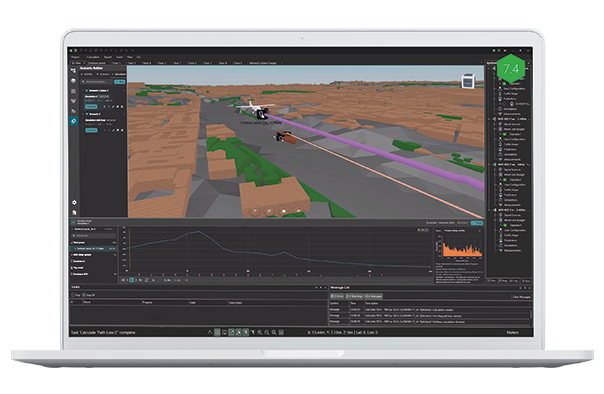
Dynamic Scene Simulation with Castor

Explore how movement affects radio channel behaviour with dynamic scene simulation. Castor enables engineers and researchers to model moving objects within 3D environments and analyze how wireless channel characteristics change over time.

  • Create Dynamic Scenarios: Model moving vehicles, machinery and terminals with configurable movement paths and timelines.
  • Simulate Changing Environments: Calculate time-varying radio channel characteristics as objects move through a scene.
  • Analyse Channel Behaviour: Play back simulation results, investigate channel characteristics and export data for further analysis.

Available as a licensed Castor add-on.
Explore Ranplan Castor
Laptop-PRO-ACO-74-3

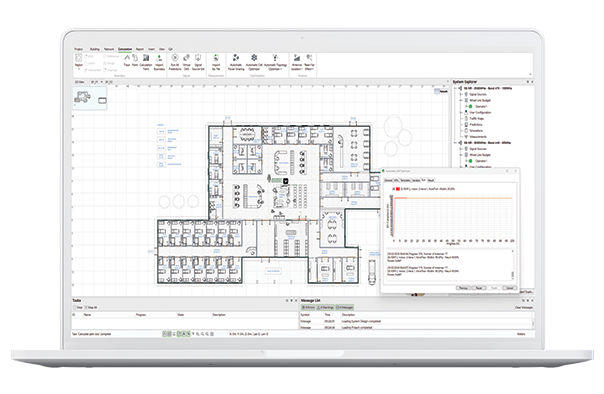
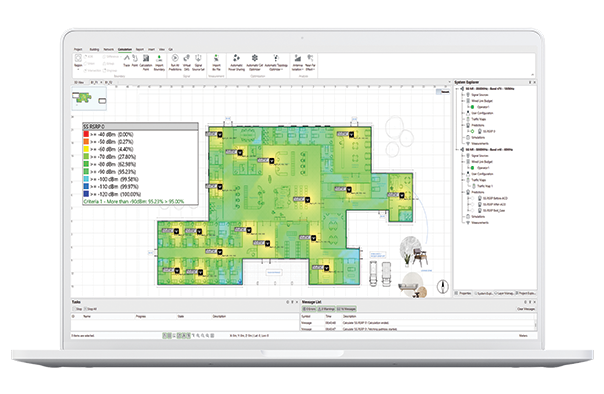
Faster Predictions and Enhanced Automatic Cell Optimisation

Improvements to prediction calculations and the Automatic Cell Optimizer (ACO) help reduce processing times and improve network design efficiency, particularly across larger and more complex projects.

  • Faster Prediction Calculations: Optimized processing and memory usage reduce calculation times across prediction KPIs, allowing engineers to evaluate design changes more quickly.
  • Enhanced Automatic Cell Optimization: Faster optimization routines and improved small-cell placement help engineers identify effective network configurations with less time spent waiting for results.
Laptop-PRO-ACO-74-1

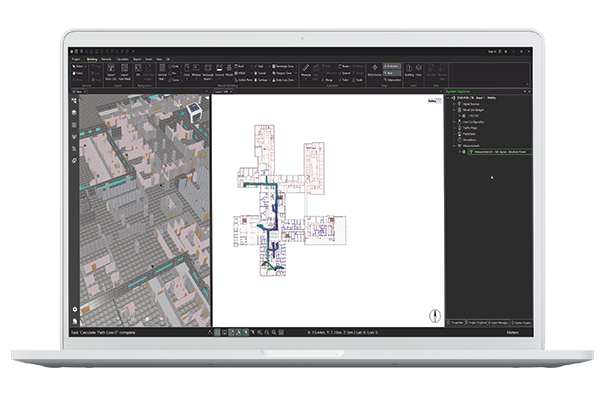
Improved Building Modelling and 3D Visualisation

Enhancements to building recognition, drawing display and 3D editing reduce manual modelling and improve visibility across complex building environments.

  • Enhanced Intelligent Floorplan Recognition (IFR): Improved recognition of pillars and curved walls, with faster processing of large floor plan images.
  • Clearer SVG Backgrounds: Optimized drawing display maintains visibility and readability when zooming in and out of large architectural plans.
  • Simplified Cable and Trace Heights: Set cable and trace heights in fewer steps, including routes over sloping surfaces, reducing manual adjustments.
  • Improved 3D Trace Visualisation: View traces immediately in 3D, with live updates when editing routes in the 2D workspace. 
laptop-screen-shot-measurement-74

Simplified Measurement Data Management

Accessing and managing measurement data is now more straightforward, with improvements that reduce manual preparation, simplify imports and make it easier to interpret measured network performance alongside prediction results.

  • Measurement Values on the Map: View measurement values directly on the map, with additional details available through interactive tooltips, reducing the need to search through data tables.
  • Faster Measurement Imports: A simplified two-step import process automatically matches data headers, units and data types.
  • Improved Template Management: Create, edit and share measurement templates to maintain consistent settings across projects and teams.
Laptop-project-sharing-7-4

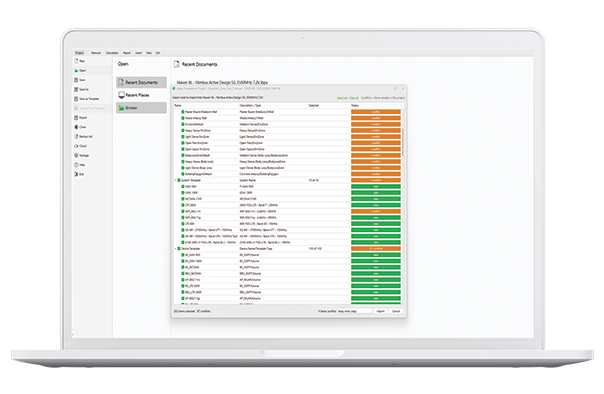
Project and Device Management 

Workflow enhancements simplify project configuration, shared designs and network management, reducing repetitive tasks and improving access to essential project information.

  • Update Projects from Templates: Apply selected settings, models and configurations to existing projects, with built-in conflict resolution, making it easier to maintain consistent project standards.
  • Simplified Project Sharing: Automatically retrieve available missing device models from Device Hub, allowing eligible users to open shared projects directly in edit mode.
  • Improved Device Information Access: View key device details and access device templates directly from the Properties panel.
  • Enhanced Cell Parameters Editor: Search, filter and organise cell parameters with customisable columns and saved layouts.
laptop-screen-shot-railway

Expanded Wireless Technology Support

Additional system configurations extend Ranplan's capabilities for specialised wireless applications, supporting more accurate modelling of railway communications and greater flexibility when planning IoT and 5G networks.

  • FRMCS TDD Configuration: Support for the DDDSUUDSUU pattern and dual special sub-frames enables accurate modelling and throughput predictions for the recommended FRMCS 1.9 GHz configuration.

  • Wize IoT Technology: A new Wize system type supports wireless network planning and prediction for Wize-based IoT applications.

  • 5G NR n46 at 100 MHz: Expanded bandwidth support enables planning and simulation of 5G networks using 100 MHz channels in the n46 band.
device-hub-searching

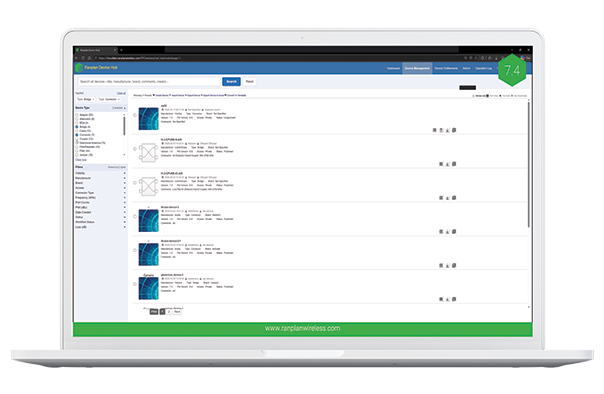
Enhanced Device Hub Search

Finding and selecting suitable network components is faster and more straightforward with improvements to Device Hub's search capabilities, technical filtering and device imagery.

  • Smarter Device Search: Search across device names, manufacturers, brands and other information using a single search field.
  • Advanced Specification Filters: Refine searches using technical characteristics such as gain, beamwidth and polarisation.
  • Expanded Device Icon Library: Access high-resolution icons organised by equipment category, with support for custom imagery to create clearer, more consistent network designs.

Experience AI-assisted network planning, dynamic scene simulation and faster predictions

Book a demo of Ranplan 7.4 today
Sidekick-gis-data

Ready to upgrade?

If you are an existing Ranplan user with a valid AMS subscription and would like to upgrade your Ranplan software, then click the button below.

Upgrade to Ranplan 7.4

Keep up to date

Subscribe to make sure you stay up to date with the latest developments from our leading research and development team. 

All our AMS subscribers are entitled to a minimum of one major yearly upgrade and regular enhancement updates throughout the year.

Subscribe to our software announcements

© 2026 Ranplan Wireless Privacy & Cookie Policy