English
  • Home
  • Products
    • Professional
    • In-Building
    • In-Building Lite
    • Academic
    • Tablet
    • Viewer
    • Licensing Plans
  • Solutions
    • Private Networks
    • 5G Networks
    • Wi-Fi Networks
    • In-Building Networks
    • Green Networks
    • HetNet Networks
    • Public Safety Networks
    • Small Cell Networks
    • IoT Networks
  • Applications
    • Enterprise Buildings
    • Industrial
    • Large Venues
    • Smart Cities
    • Tunnels & Transportation
    • Urban Outdoor
    • Emergency Communication
  • Services
  • Why us?
    • 20 Years
    • Resellers
    • Partners
    • Testimonials
    • Customers
  • Resources
    • Blog
    • Brochures
    • Case Studies
    • Videos
    • White Papers
  • Support
    • Support Request
    • Certification Program
    • Annual Maintenance and Support
    • Knowledge Hub
    • Customer Portal
  • Quick links
    • About
    • Investors
    • News
    • Events
    • Research
    • Careers
    • Glossary
    • Contact Us
NEW SOFTWARE RELEASE

Introducing Ranplan 7.3

Reusable Network Design, Multi-Building Model Import and Animated 3D Prediction Visualization

Wireless network design often requires recreating similar layouts, device configurations, and infrastructure across multiple projects. Reusable network models allow planners to save and reuse proven network designs, reducing repetitive configuration work and improving design consistency, while enhancements to 3D prediction visualization and multi-building model import provide clearer insight into network performance within realistic environments.

Laptop - Network Models User Library

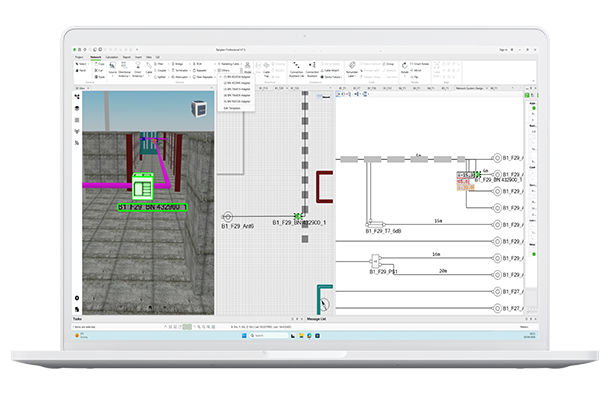
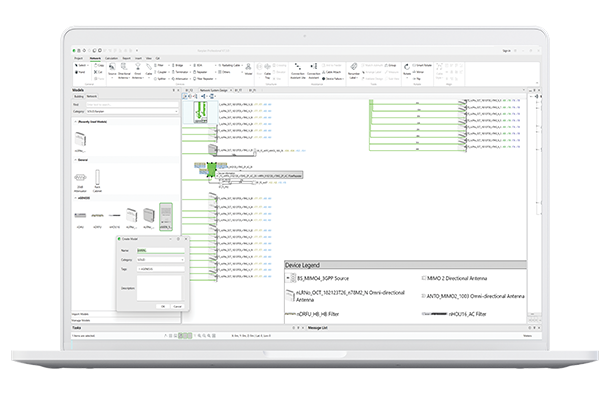
Reuse Proven Network Designs

Network Models enable planners to save complete network design structures and reuse them across projects. From headend layouts to commonly used device configurations, established design patterns can be quickly applied without rebuilding them from scratch.

  • Reusable Network Models: Save devices, cables, cable trays, regions, traces, marks, images, and text as a single reusable network model.

  • Flexible Model Placement: Insert network models into new projects while retaining the ability to modify each instance independently.

  • Import and Export Support: Share models across teams to standardize best-practice network designs.

  • Default Models Included: Begin quickly using predefined models available within the software.
animation

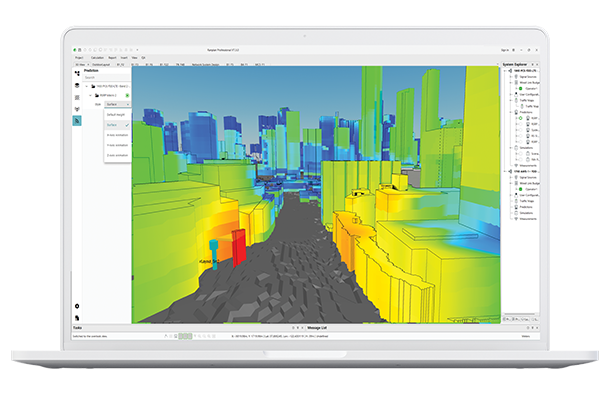
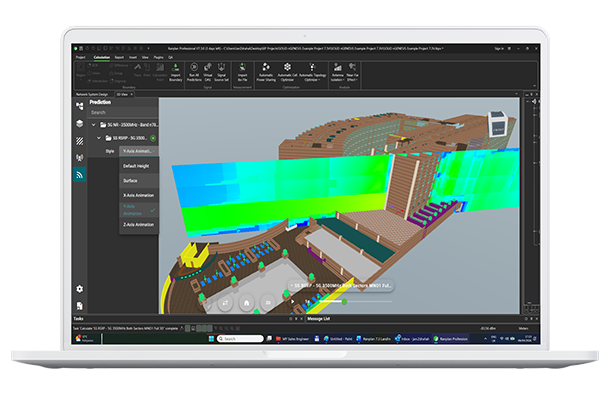
Explore Network Coverage with Animated 3D Prediction Visualization

The 3D Viewer enhancements provide greater control over how signal predictions are visualized and analysed.

  • Centralized Prediction Controls: A dedicated Prediction tab brings all signal visualization settings into one place.

  • Multiple Display Modes: View predictions at default heights, mapped directly onto surfaces, or through dynamic 3D animations.

  • Full 3D Signal Animation: Explore signal propagation across the X, Y, and Z axes to better understand network behaviour in complex environments.

  • Animation Manager: Organize prediction animations by building or outdoor layout and control playback speed.

  • Improved Performance: Faster rendering and smoother interaction when working with large 3D projects. 

Laptop - Multi-Building IFC import-small

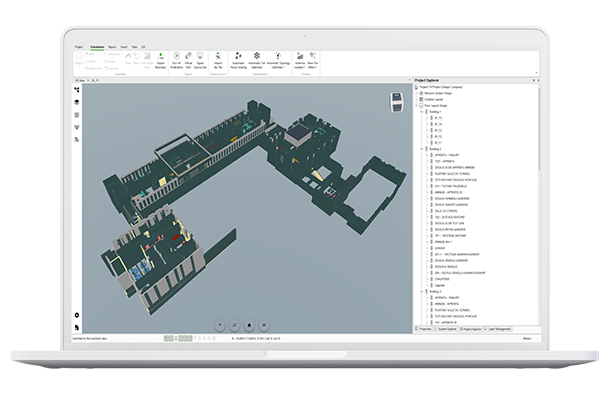
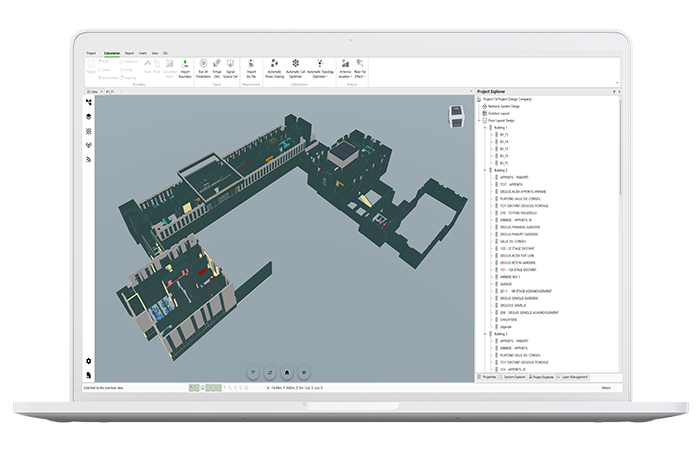
Import Multi-Building IFC Models in a Single Step

Architectural IFC files often contain multiple buildings within a single model. Multi-building import allows all relevant structures to be loaded in one operation, simplifying the integration of architectural data into network planning projects.

This enhancement supports the creation of large-scale simulation environments for modelling wireless performance across complex sites.

  • Multi-Building Import: Load several buildings from a single IFC file.

  • Selective Import Options: Choose which buildings to import and apply element filters during the process.

Laptop-signals-and-terminals

Greater Design Flexibility and Control

A range of enhancements improves how devices, layouts, and network elements are managed, making design workflows faster and more intuitive.

  • Flexible Device Replacement: Replace devices across templates within the same device type without rebuilding configurations.

  • Adapters and Terminals Support: Place and visualize adapters and terminals directly within network designs.

  • Cable Tray Support in NSD: Improve cable organization with cable tray support in network system design.

  • Device Group Filtering: Filter transmitters and antennas by device group for more targeted prediction configuration.

  • Absolute Height Control: Define device and measurement heights using absolute values alongside relative settings.

  • Faster Geometry Editing: Remove vertices directly via right-click for regions, cables, cable trays, and traces.

  • Improved UI Access: Expanded Quick Access Toolbar and enhanced Properties panel selection for faster interaction.

device-labelling-renumbering

Maintain Consistent Project Labelling

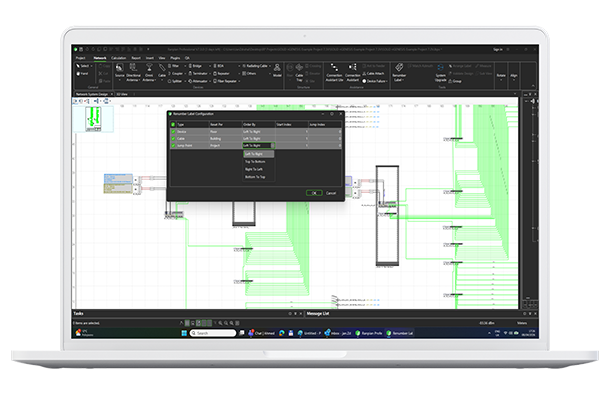
Managing device and cable labels across complex network designs is now more efficient with a new renumbering system that enables consistent project-wide labelling.

  • Project-Level Renumbering: Apply numbering rules across devices, cables, and jump points from a single configuration interface.

  • Custom Renumbering Rules: Configure separate labelling structures for different network components.

  • Streamlined Workflow: Access renumbering controls directly from the Network ribbon 

Laptop - Enganced Auto Power Sharing for Active DAS

Broaden Automatic Power Sharing Across Device Types

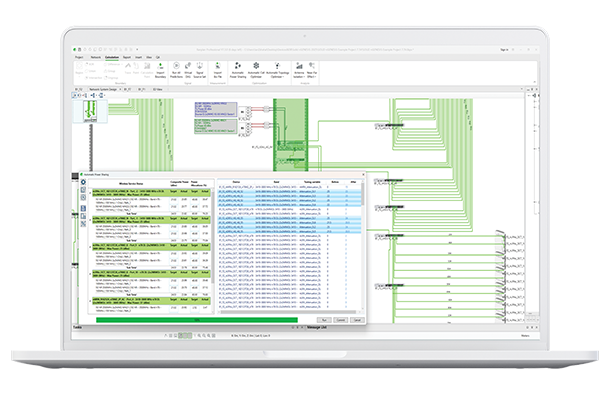
Automatic Power Sharing calculations now support a broader range of device connection types, removing previous restrictions on output port definitions.

  • Expanded Interface Support: Include coaxial, fiber, twisted pair, or other interface types in power sharing calculations.

  • Tunable Device Variables: Output power can be optimized regardless of connection type, provided the link budget can be calculated.

laptop - Signal by Surface in 3D view

Improved Signal Visibility in Dense Network Areas

Signal labels can now be controlled at the individual device port level, making it easier to identify signals when devices are located close together, such as in headend rooms or equipment racks.

  • Per-Port Signal Label Control: Display or hide signal labels for individual device ports.

  • Multiple Access Points: Manage signal label visibility from the Properties window or device context menus.

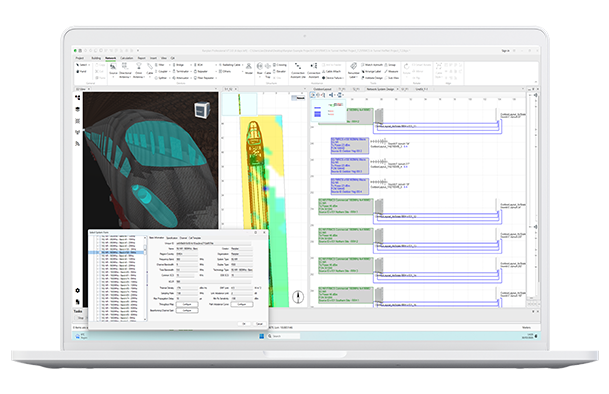
Laptop - FRMCS Systems

Plan FRMCS Railway Networks with Predefined Parameters

Support for the FRMCS 1900 MHz band enables more efficient planning of next-generation railway communication systems with reduced configuration effort.

  • Preconfigured System Database Entry: The FRMCS 1900 MHz 5G system is now included in the default System Database.

  • Support for the n101 TDD Band: Plan railway communication systems operating in the 1900–1910 MHz band used in Europe.

Experience the intelligence and efficiency driving modern wireless network design and optimization

Book a demo of Ranplan 7.3 today
Laptop - Multi-Building IFC import-700

Ready to upgrade?

If you are an existing Ranplan user with a valid AMS subscription and would like to upgrade your Ranplan software, then click the button below.

Upgrade to Ranplan 7.3

Keep up to date

Subscribe to make sure you stay up to date with the latest developments from our leading research and development team. 

All our AMS subscribers are entitled to a minimum of one major yearly upgrade and regular enhancement updates throughout the year.

Subscribe to our software announcements

© 2026 Ranplan Wireless Privacy & Cookie Policy